Posted on 1 Comment

The Family of Man

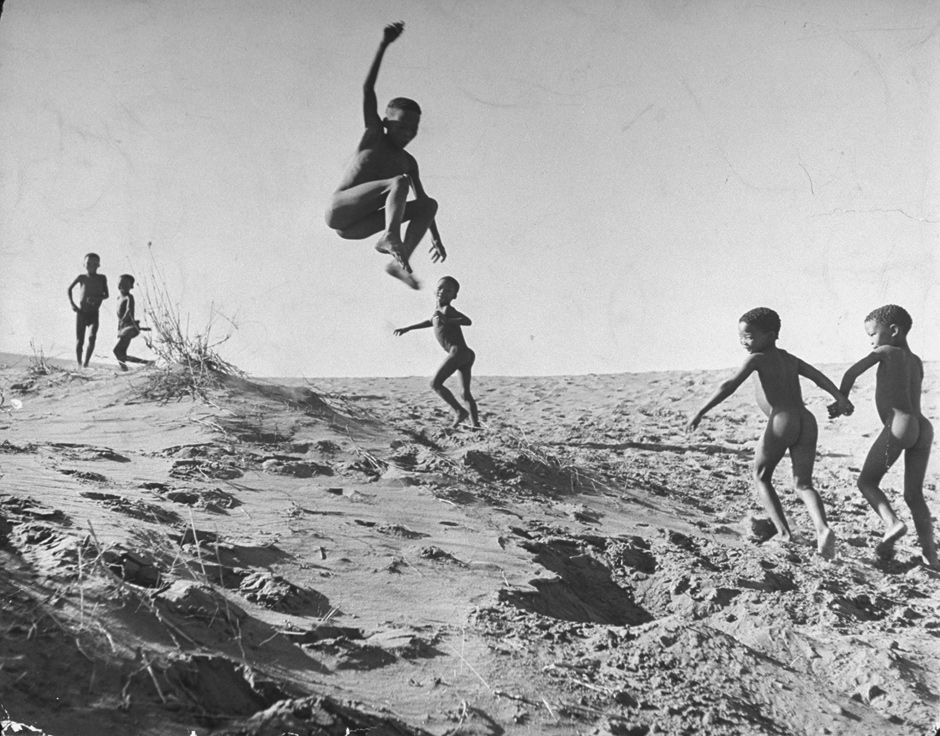
Bushman children playing games on sand dunes in the border area between Botswana and South Africa, 1947, Nat Farbman

Coffee table books have fallen out of fashion in today’s digital world. Our books are as likely to be bound by bits and bytes as they are by cloth and stitching. Yesterday a memory was jostled free from the cobwebs of my mind, recalling a book on my family coffee table when I was growing up.

The Family of Man

The Family of Man was the epitome of coffee table books. It was filled with beautiful black and white photos of people around the world, catalogued from a 1955 exhibit at the Museum of Modern Art in New York.

The exhibit was curated by Edward Steichen and featured 503 photographs from 68 countries, 273 of which were taken by amateur photographers. Many of those photos are etched into my memories and instantly recognizable.

Steichen considered it a collective portrait of humanity. I was too young to appreciate the larger message, but I remember sitting on the floor for what seemed like hours, slowly turning each crisp page and absorbing each photograph.  The photos conveyed the gamut of human emotion and experience. What was that experience like? How are they feeling? My mind filled in the backstory and I connected with my extended family of man.

As it turns out, The Family of Man is still in print. There are probably quite a few coffee tables that could benefit from a copy. Maybe it can bring our family together.
 

Posted on 1 Comment

Project 365 – 2011, One Photo a Day

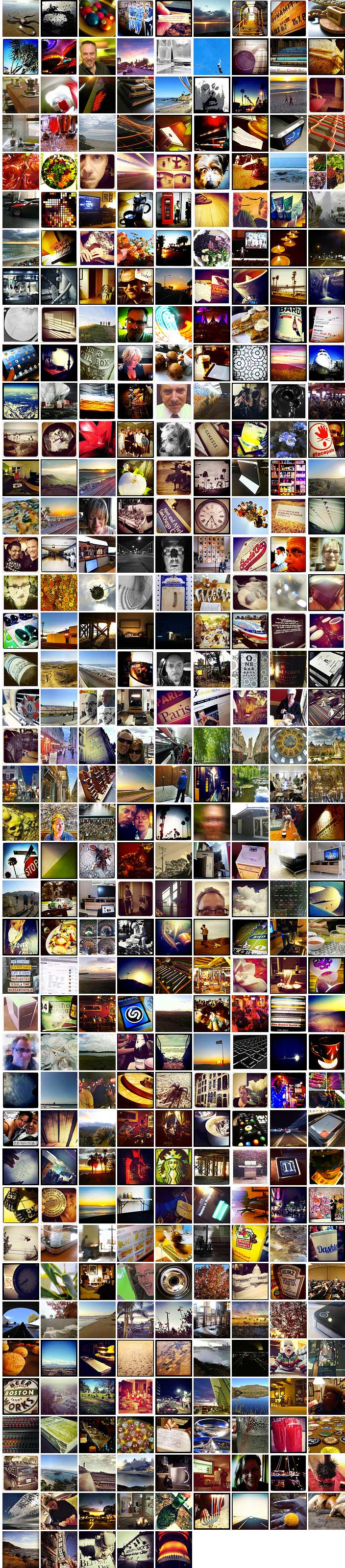
Last year I decided to undertake the popular Project 365 photo meme. The goal is to take and post at least one photo every day for 365 days. While you can start at any time, I began my project on January 1, 2011. Here is the result, one year later.

There are many ways to participate in Project 365. I chose Flickr, mainly because I’ve been using the site for years and it’s comfortable like an old pair of favorite shoes. They have a great community and lots of groups devoted to the Project 365 meme.

Most of my photos were taken with my iPhone, which I use more and more frequently. For some I used my Canon SD780 point-and-shoot. I didn’t generally get fancy or do a lot of planned shots. Most were what I would describe as “opportunistic,” and reflect what I did or where I was that day. It’s wonderful to scan the thumbnails and take a visual stroll through 2011.

One thing I learned — it was sometimes difficult to find something worthy of sharing. Some days I would be so busy, I’d nearly forget to shoot a photo until late in the evening. Which explains the many still images of “stuff” around my study.

When January 1st 2012 rolled around, I breathed a sigh of relief. Even though it took me a couple weeks to finish posting, tagging, titling and organizing the photos, I was free to not take a photo, if I so chose. Would I do it again? Sure! It was a lot of fun. But would I do it in consecutive years? Well, I’m not this year.


Posted on 3 Comments

Create Amazing Infographics About Your iPhone Photos

Infographics have become a popular way to convey a lot of information in a concise form. Rich with data, they leverage graphics to provide context to the numbers. Now a clever Swedish company called Dear Future Astronaut has released a $0.99 iPhone app that will analyze your photos and produce a beautiful infographic analysis.

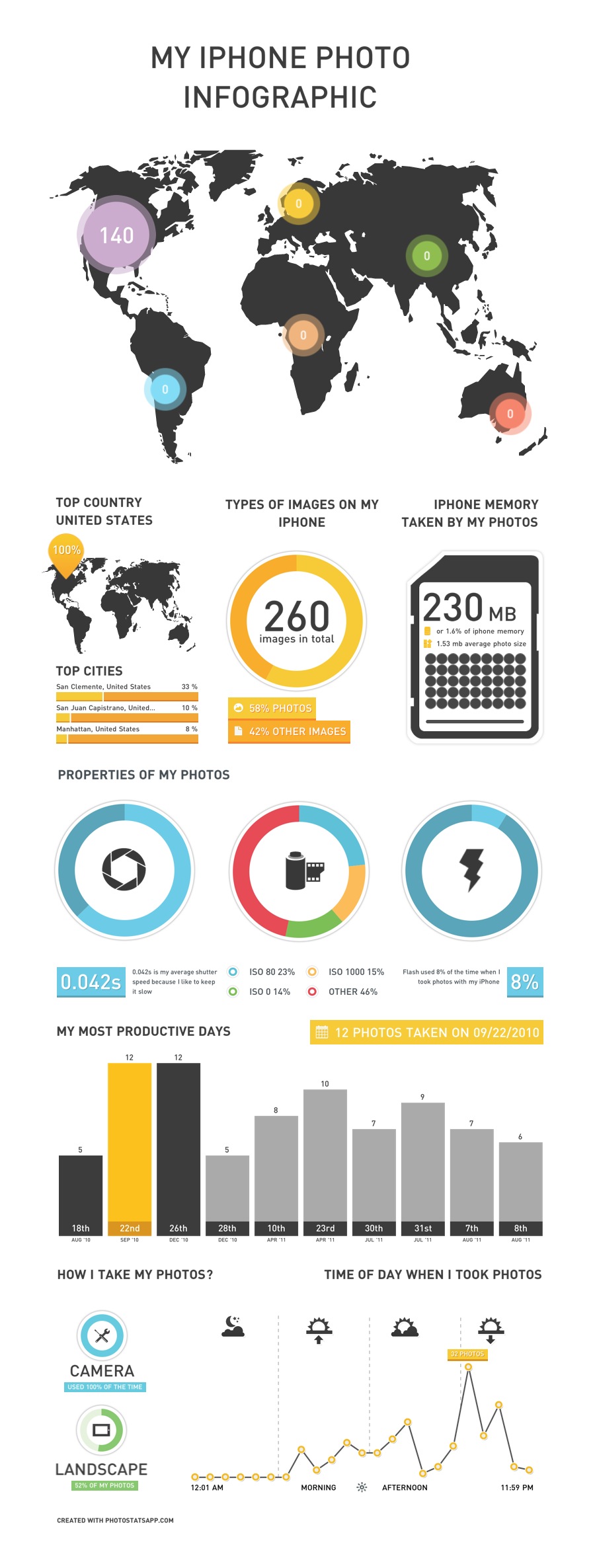
I recently purged about 1,000 photos from my iPhone, but Photo Stats didn’t mind. It still created the following, beautiful infographic that analyzed the 266 photos still on my iPhone.


Photo Stats will show you where, when and how you took your photos, with location, time of day, your “most productive” days and various photo properties like portrait vs. landscape, ISO setting and photo app used.

The $0.99 price is reasonable, although they say it’s a promotion only good for the first week. After that, it goes up to a whopping $1.99 (still a deal, in my book). Go get Photo Stats, and share a link to your Photo Stats in the comments below.

Posted on 3 Comments

Project 365: Day Ninety-Nine

On January 1, 2011 I began what some of my photographer friends know as Project 365. It’s a commitment to shoot a photo every day for an entire year. Today marks Day 99, and I realized at 9:45pm that I hadn’t taken a photo. So I improvised a quick shot with my iPhone and gussied it up with some Easter eggs (timely, no?). Check out today’s wasted entry, let me know how I’m doing so far, and if you have any ideas or special requests, leave a comment.

Here are the first 99 photos:

Posted on 5 Comments

Project 365 – A Post a Day

Creating content on a regular basis can be challenging. Some so-called blogging experts suggest that you need to post regularly to build your audience. That may be true if that aligns with your goals, but I agree with Scott Stratton’s theory. I heard him speak a couple months ago at a Linked OC event, and he reiterated what he says in his book UnMarketing (affiliate link): that quality is far more important than quantity. If you don’t have something that you simply must share, then it probably isn’t worth sharing.

Or as Scott puts it, people don’t share “meh.” People share emotion. People share what moves them. People share awesome.

On the other side of that coin is the view that as with anything, practice makes perfect. If you want to become a better guitarist, photographer or writer, you need to do that, and do so with some degree of frequency.

That, in part, is one of the ideas behind Project 365, a photography meme popular on Flickr and beyond. The idea is simple. Take one photo every day for one year, and share it online.

I first learned about Project 365 when my friend Ed took on the challenge, and I saw his photography improve by leaps and bounds. And so I decided on January 1st, it was my time to embark on that journey. I’ve started my first Project 365, and I’m looking forward to seeing the results this time next year.

So then yesterday I read on Mashable that the folks at WordPress had issued a similar challenge to the blogging world: write a post a day for a year.  They’ve even created a website titled The Daily Post with ideas for writing.

Now those who have followed this blog on and off over the years know that I have been anything but regular about writing. I tend to write in frenzied spurts. But the idea of such a disciplined approach to writing was seductive, and I took the bait.

Yes, I realize I’m not starting this project on January 1st. There are no rules except for those I create, and those are subject to change. But from here on, I’m going to give it a shot… a quality post a day for the next 365 days.

One down, 364 to go.

Posted on Leave a comment

Doing the Animoto Thing

Animoto is a terrific service that creates video presentations combining photos and music with some great visual effects and very little effort on your part. The beauty of Animoto is that it works with the photos you probably have already uploaded. Animoto can retrieve your photos from Flickr, facebook, smugmug, Picasa or photobucket. You select the photos you want to use, including any special photos you would like to highlight in the video.

For music, you can upload your own or choose from a very nice selection in a variety of genres. For the video above, I chose one of the Indie Rock selections.

That’s about it! Animoto then creates your video automatically. When it’s done, you’ll have a code you can use to embed it on your own blog, or Animoto will automatically embed your video on facebook, myspace, blogger and several other sites. You can even automatically upload the video to YouTube, or download a Quicktime version to your computer.

All of this is free… as long as you’re happy to limit your videos to 30 seconds in length. Longer videos can be created at a cost of $3 each, or you can pay $30 for an annual subscription that let’s you create an unlimited number of “full-length” videos.

The results speak for themself. I was pleased, given the amount of effort that went into it (almost zero).  Check out Animoto.

Posted on Leave a comment

My First iPhone Wallpapers

I recently ran across a couple of Flickr groups devoted to iPhone wallpapers, and decided to try my hand at it. The proper size for an iPhone wallpaper is 320×480, portrait orientation. And just for kicks, I used Flickr’s (relatively) new built-in editor to crop and resize the images. Click the images below for the full-size version, then right-click to download.

Tile pattern  Forgotten  iCandy  The sun has set  Paradise, post-processed

I’ve tagged my wallpapers, so to see them all, just click here.

If you’ve got an iPhone or an iPod Touch, you can download your fave wallpaper images to a folder, then simply sync that folder to your iPhone using iTunes. Pretty sweet, no?

I’m still trying to decide whether to jailbreak my iPhone or not. There is a very easy method if you’re running the 1.1.1 firmware, but I’ve already upgraded to 1.1.2. Should I downgrade to 1.1.1, just to jailbreak my iPhone?

Blogged with Flock

Tags: , , ,